🎮X2 Game Stick 4K, Emulator Video Console, Plug and Play Video Game Stick for TV, with 2 X 2.4G Wireless Controller
🎮X2 Game Stick 4K, Emulator Video Console, Plug and Play Video Game Stick for TV, with 2 X 2.4G Wireless Controller
BUNDLE & SAVE
Couldn't load pickup availability
-
Ordered
- - -
Order Ready
- - -
Delivered

🎮X2 Game Stick 4K, Emulator Video Console, Plug and Play Video Game Stick for TV, with 2 X 2.4G Wireless Controller
GLOBAL DELIVERY
Worldwide Shipping
Fast dispatch with tracking updates
READY TO SHIP
24–48HTurn TV timeinto game night.
Plug the X2 Blue into a compatible screen, hand someone the second controller and pick a retro game to play together.

One screen. Two players.
Play from the couch with two 2.4 GHz wireless controllers. Take turns chasing a high score, or start a match together in a game that supports two players.

Connect, power up, play.
Set up the stick, then switch your display to the HDMI input you used.
- 01ConnectPlug the wireless receiver into the stick, then connect the stick to your display’s HDMI input.
- 02Power upConnect the USB power cable to a separate 5V / 1A USB wall adapter.
- 03Start playingFit AAA batteries in the controllers. Select the correct HDMI input and use the controller to browse games.

Play where you like to watch.
Use a TV, monitor or projector with an HDMI input. The compact stick connects at the display, so there’s no full-size console to find room for.

Familiar controls, right where you expect them.
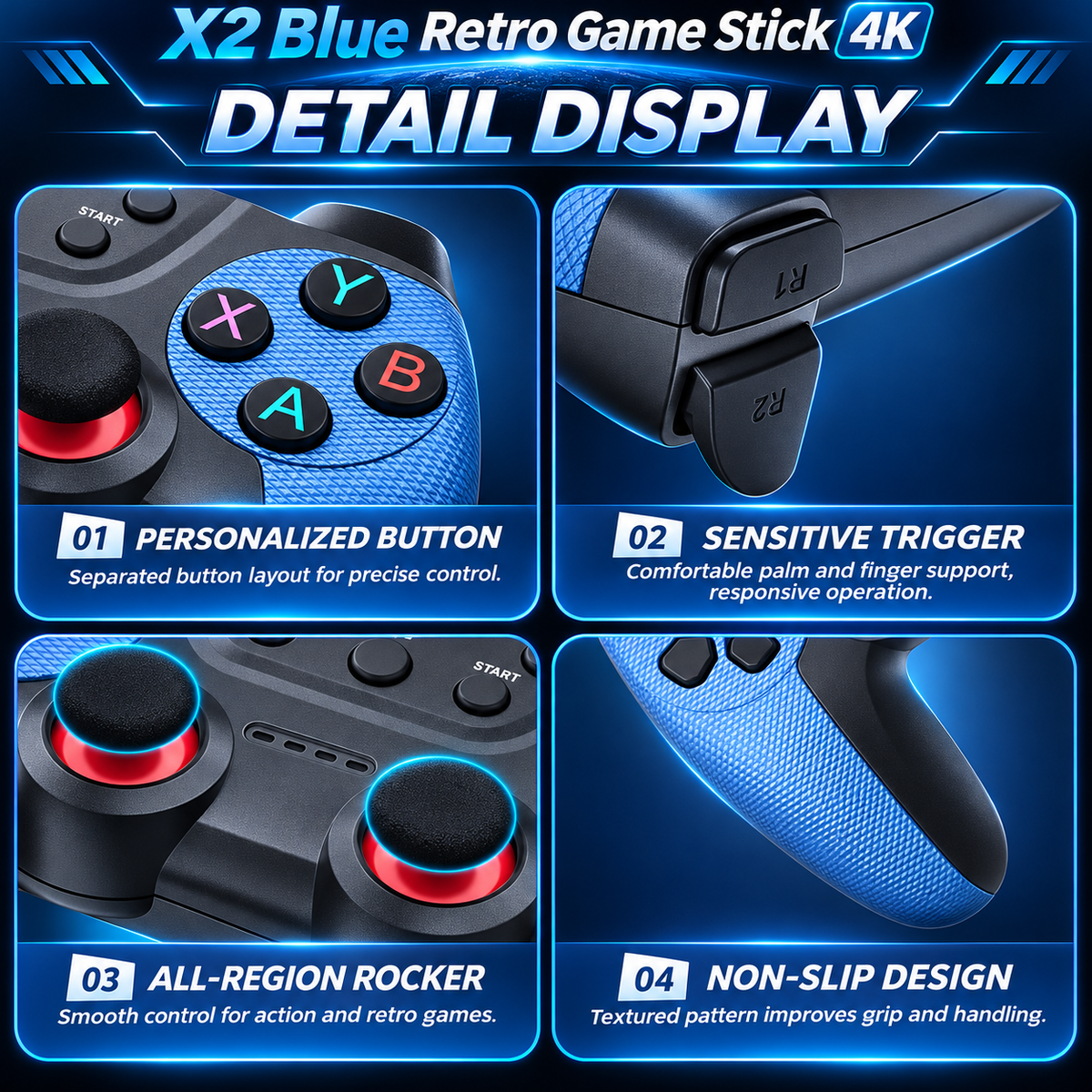
Dual analog sticks, a directional pad, face buttons and shoulder triggers give you a familiar layout. Textured grips help you hold the controller comfortably.

Check your setup before ordering.

Quick questions.
Do all games support two players?
No. Use the second controller with titles that offer local two-player modes.
Do I need to power the stick separately?
Yes. Connect the USB power cable to a separate 5V / 1A USB wall adapter as directed in the product instructions.
Does 4K mean the games run in native 4K?
No. The product’s 4K label refers to advertised display output. The original resolution and appearance of each retro game can vary.
What changes between Classic and Legendary?
They are separate game library options. Check the selected option before ordering, especially if you are looking for a specific game.
Ready for another round?
Choose your X2 Blue edition and make your next night in a game night.
Shop Now